
If you applied for admission into Obafemi Awolowo University (OAU), Ile-Ife for the 2026/2027 academic session, you’re probably eager to know whether the admission list has been released.
At the time of writing, OAU has not officially released the 2026/2027 undergraduate admission list. The university recently concluded its Post-UTME registration and screening process, and admission processing is ongoing. Candidates are advised to monitor both the official OAU admission portal and JAMB CAPS regularly for updates.
Is the OAU Admission List 2026/2027 Out?
No—not yet officially.
The Obafemi Awolowo University (OAU) has not officially published the undergraduate admission list for the 2026/2027 academic session. Since the Post-UTME screening exercise is still progressing, candidates should continue checking the university admission portal and JAMB CAPS for updates.
Admission lists are usually released in batches, so don’t panic if your name does not appear immediately.
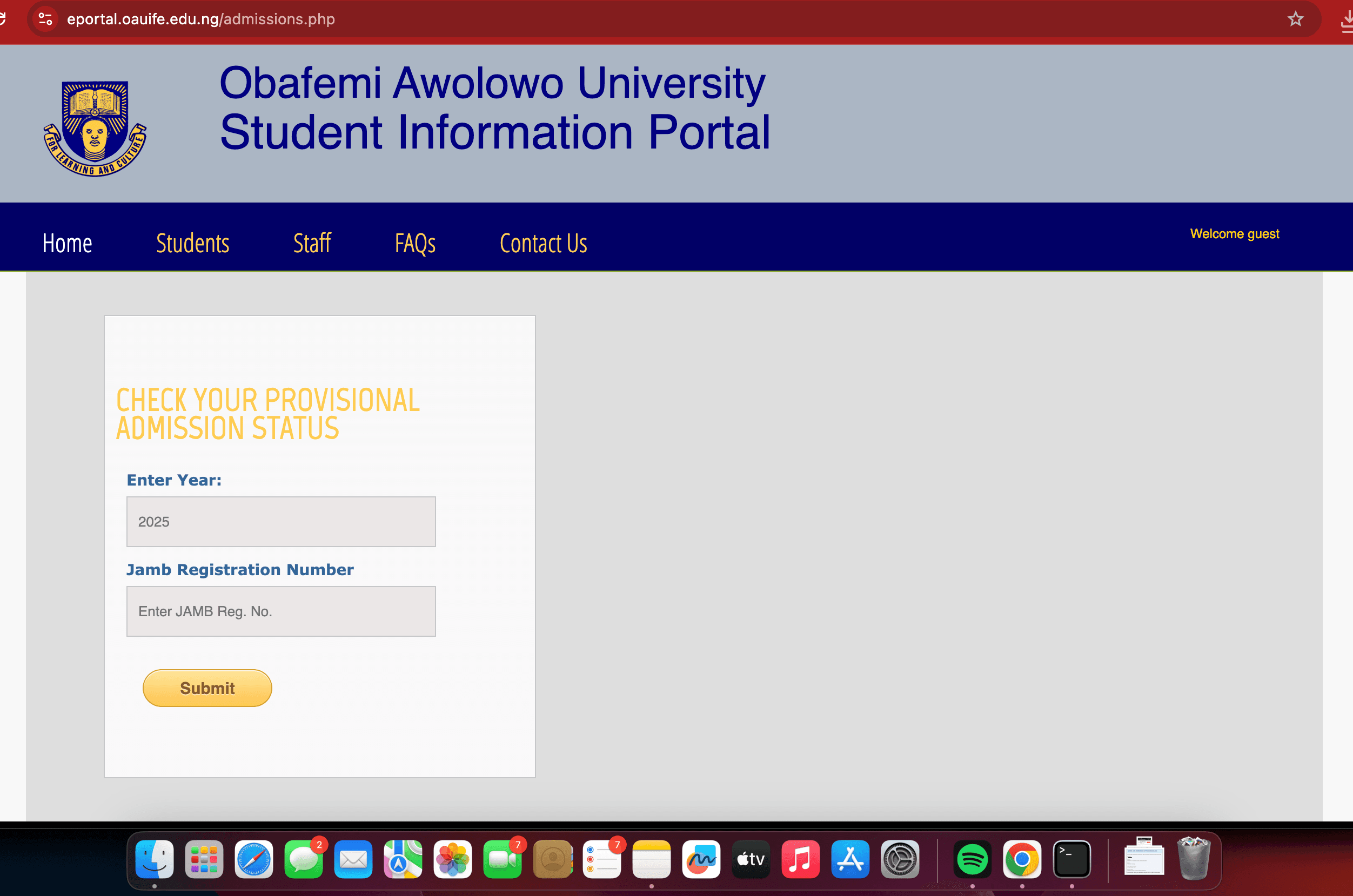
How to Check OAU Admission Status on the School Portal
Once admissions begin, follow these steps:
- Visit the OAU Admission Status Portal.
- Select the admission year (2026).
- Enter your JAMB Registration Number.
- Click Submit.
- View your admission status on the screen.
How to Check OAU Admission Status on JAMB CAPS
You can also check through JAMB CAPS:
- Visit the JAMB eFacility Portal.
- Log in using your email address and password.
- Click Check Admission Status.
- Select 2026 as your examination year.
- Click Access My CAPS.
- Open Admission Status.
- Check whether you have been offered admission.
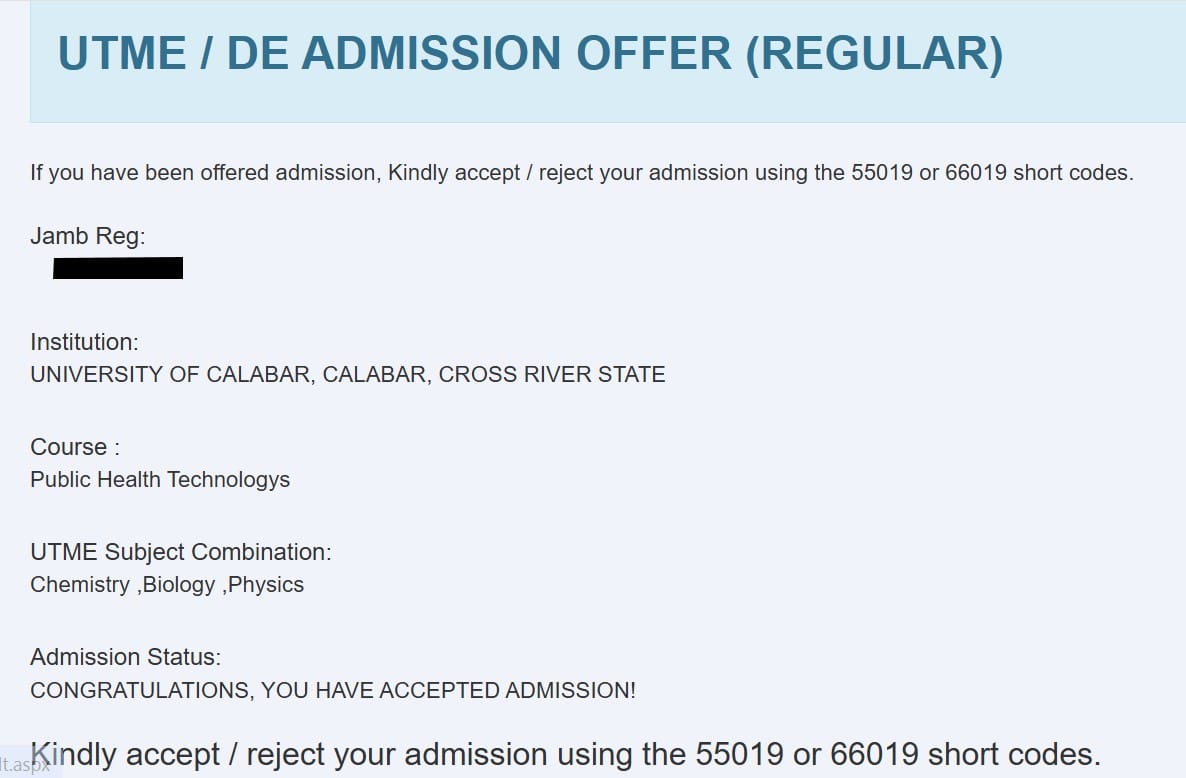
If admitted, you’ll see Congratulations!
Related Guide: How to Check JAMB Admission Status on CAPS
What Does “Admission in Progress” Mean?
If your status displays Admission in Progress, it simply means:
- OAU is still processing your admission.
- JAMB has not completed updating your admission status.
- Your application is still under consideration.
Many successful candidates first see “Admission in Progress” before their admission changes to Congratulations.
Related Guide: JAMB Admission Not Showing on CAPS? Causes and Solutions
What to Do After Seeing “Congratulations”
If you’re offered admission:
- Accept the admission on JAMB CAPS.
- Print your JAMB Admission Letter.
- Print your Original JAMB Result Slip.
- Follow OAU’s registration instructions.
- Pay any required acceptance or school fees once announced.
- Complete departmental and faculty clearance.
Be sure to meet all deadlines published by the university.
How to Accept Admission on JAMB CAPS
Follow these steps:
- Log in to your JAMB profile.
- Open Access My CAPS.
- Click Admission Status.
- Click Accept Admission.
- Confirm your decision.
Once completed, your admission becomes officially accepted.
Related Guide: How to Accept or Reject Admission on JAMB CAPS
How to Print Your JAMB Admission Letter
After accepting your admission:
- Log in to the JAMB eFacility portal.
- Click Print Admission Letter.
- Pay the required service fee.
- Download and print your admission letter.
You’ll need this document during registration and clearance.
Related Guide: JAMB Admission Letter: How to Print Yours Online
OAU Registration After Admission
After accepting your admission, OAU will publish detailed registration instructions for newly admitted students. These typically include:
- Payment of prescribed fees (when announced)
- Online bio-data registration
- Faculty and departmental clearance
- Verification of credentials
- Course registration
Always rely on announcements published on the official OAU website and student portal.
Frequently Asked Questions (FAQs)
Is the OAU Admission List 2026/2027 out?
No. The university has not officially released the undergraduate admission list for the 2026/2027 academic session.
Where can I check my admission status?
You can check through:
- The OAU Admission Status Portal
- JAMB CAPS
My name is not on the admission list. What should I do?
Continue checking regularly. OAU often releases admission lists in multiple batches.
Can I accept admission without JAMB CAPS?
No. You must accept your admission through JAMB CAPS before completing your admission process.
Can I print my admission letter before accepting admission?
No. You should first accept your admission on JAMB CAPS.
What documents will I need for registration?
Generally, you’ll need:
- JAMB Admission Letter
- Original JAMB Result Slip
- O’Level result(s)
- Birth Certificate
- Local Government Identification
- Passport photographs
- Any additional documents requested by OAU
Related Articles
- JAMB CAPS Admission Guide 2026
- How to Check JAMB Admission Status on CAPS
- How to Accept or Reject Admission on JAMB CAPS
- JAMB Admission Letter: How to Print Yours Online
- JAMB Admission Not Showing on CAPS? Causes and Solutions
- JAMB Portal Login 2026
- How to Upload O’Level Results to JAMB CAPS
- How to Print Original JAMB Result Slip 2026