
The LASU Admission List 2026/2027 has been released for qualified candidates who participated in the Lagos State University admission screening exercise.
If you applied for admission into LASU through the 2026 Unified Tertiary Matriculation Examination (UTME) or Direct Entry (DE), you can now check whether you have been offered provisional admission.
In this guide, you’ll learn:
- How to check the LASU admission list
- How to check admission on JAMB CAPS
- What “Admission in Progress” means
- What to do after being offered admission
- How to accept your admission
- How to print your JAMB admission letter
- How to pay the LASU acceptance fee
Whether you’re checking the LASU first batch admission list, second batch, or supplementary admission list, this guide walks you through every step.
Is the LASU Admission List 2026/2027 Out?
Yes.
LASU has begun releasing the 2026/2027 admission list for successful candidates.
The admission list contains the names of candidates who have met the University’s admission requirements and have been recommended for admission.
Candidates are advised to check both:
- LASU Admission Portal
- JAMB CAPS Portal
Sometimes your admission may appear on one platform before the other.
Who Can Check the LASU Admission List?
You can check your admission status if you:
- Chose LASU as your first-choice institution
- Participated in the LASU Post-UTME screening
- Uploaded your O’Level result to JAMB CAPS
- Met the departmental cut-off mark
- Submitted all required documents
Requirements Before Checking Your Admission Status
Before checking your admission, have the following ready:
- JAMB Registration Number
- JAMB Email Address
- Password for your JAMB profile
- Good internet connection
- Smartphone or computer
How to Check the LASU Admission List on the School Portal
Follow these steps:
Step 1
Visit the official LASU admission portal.
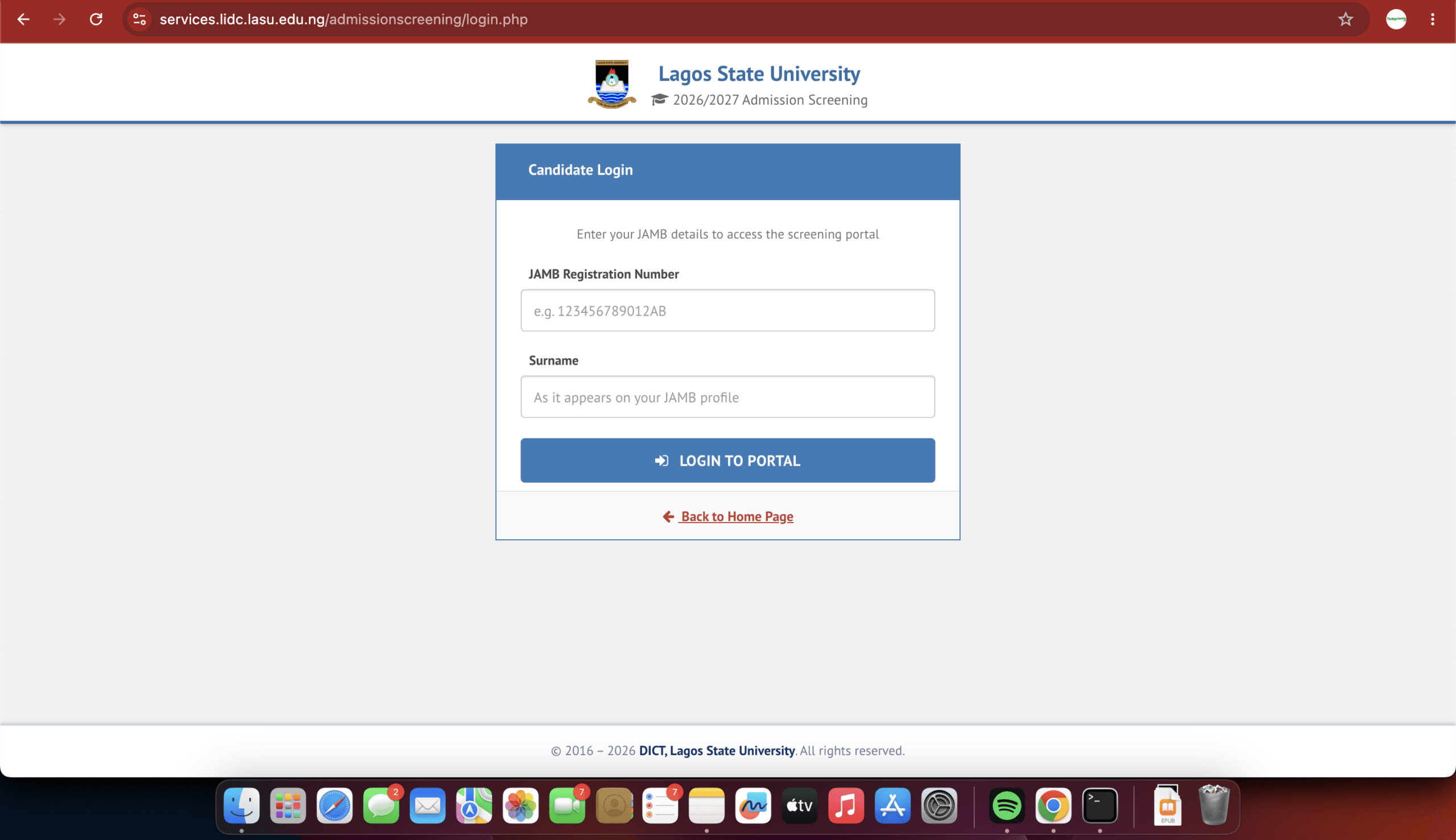
Step 2
Click Admission Status or Check Admission List.
Step 3
Enter your:
- JAMB Registration Number
or any other information requested.
Step 4
Click Check Status.
Step 5
Your admission status will appear.
Possible results include:
- Congratulations
- Admission in Progress
- Not Yet Admitted
How to Check LASU Admission Status on JAMB CAPS
You should also verify your admission through JAMB CAPS.
Step 1
Visit the JAMB eFacility Portal.

Step 2
Login using:
- Email Address
- Password
Step 3
Click:
Check Admission Status
Step 4
Select:
- Examination Year (2026)
Step 5
Click:
Access My CAPS

Step 6
Open:
Admission Status
If admitted, you’ll see:
Congratulations!
along with:
- Accept Admission
- Reject Admission
Related Guides
If you’re not familiar with JAMB CAPS, read these detailed guides:
- JAMB CAPS Admission Guide 2026
- How to Check JAMB Admission Status
- How to Accept or Reject Admission on JAMB CAPS
- JAMB Portal Login 2026
What Does “Admission in Progress” Mean?
Many candidates panic after seeing:
Admission in Progress
Don’t worry.
It simply means LASU has recommended your admission, but JAMB is still processing it.
This status usually changes to:
Congratulations
once processing is complete.
If it remains unchanged for several days, read:
Related Guide: JAMB Admission Not Showing on CAPS? Causes and Solutions
What to Do After Seeing “Congratulations”
If you’ve been admitted:
✔ Accept the admission immediately.
✔ Print your JAMB Admission Letter.
✔ Print your Original JAMB Result.
✔ Pay the LASU Acceptance Fee.
✔ Complete departmental screening.
✔ Prepare for registration.
How to Accept Admission on JAMB CAPS
Once admitted:
- Login to JAMB CAPS.
- Click Admission Status.
- Select Access My CAPS.
- Click Accept Admission.
- Confirm your decision.
Your admission is now officially accepted.
Related Guide: How to Accept or Reject Admission on JAMB CAPS
How to Print Your JAMB Admission Letter
After accepting admission:
- Login to JAMB eFacility.
- Select Print Admission Letter.
- Pay the required service charge if prompted.
- Download and print your letter.
Related Guide: JAMB Admission Letter: How to Print Yours Online
How to Pay the LASU Acceptance Fee
Successful candidates should:
- Visit the LASU student portal.
- Generate an acceptance fee payment invoice.
- Pay through the approved payment platform.
- Print the payment receipt.
- Complete online clearance.
Always pay only through the official LASU payment portal.
Why Your Name May Not Appear Yet
If you haven’t been admitted, possible reasons include:
- Admission is still being processed.
- LASU has not released your batch.
- O’Level result has not been uploaded.
- JAMB CAPS is yet to synchronize.
- You did not meet the departmental cut-off mark.
Keep checking regularly.
Frequently Asked Questions (FAQs)
Is the LASU Admission List 2026/2027 Out?
Yes. LASU has started releasing the admission list for qualified candidates. Additional batches may follow.
Can I See My Admission on JAMB Before LASU Portal?
Yes.
Sometimes JAMB CAPS updates before the school’s admission portal.
My Status Says Admission in Progress. What Should I Do?
Wait patiently and continue checking both JAMB CAPS and the LASU portal. The status often changes to “Congratulations” after processing is complete.
Can I Reject My Admission?
Yes.
However, rejecting an admission offer may affect your admission prospects. Only reject it if you’re certain.
I Have Been Admitted. What’s Next?
You should:
- Accept admission on JAMB CAPS.
- Print your admission letter.
- Pay the acceptance fee.
- Complete LASU registration.
- Proceed with departmental clearance.
Final Thoughts
The LASU Admission List 2026/2027 is an important milestone for candidates seeking admission into Lagos State University. If your name appears on the admission list, accept your admission promptly through JAMB CAPS, print your admission letter, pay your acceptance fee, and complete all registration requirements before the deadlines.
If your admission has not yet appeared, don’t panic. LASU may release additional batches, and JAMB CAPS can take time to synchronize. Continue checking both portals regularly for updates.