
If you applied for admission into the University of Benin (UNIBEN) for the 2026/2027 academic session, you’re probably eager to know whether the admission list has been released.
After completing the Post-UTME screening exercise, the next important step is to monitor your admission status through the UNIBEN admission portal and JAMB CAPS.
This guide explains the latest update on the UNIBEN admission list, how to check your admission status, what “Admission in Progress” means, and the steps to take once you receive an admission offer.
Is the UNIBEN Admission List 2026/2027 Out?
Not yet.
As of the latest available information, the University of Benin has not released the undergraduate admission list for the 2026/2027 academic session. The University’s Post-UTME screening exercise has been completed, and admission processing is currently underway. Successful candidates will be able to check their admission status through the UNIBEN admission portal and JAMB CAPS once the lists are officially published.
SchoolAdmissions.com.ng will update this page immediately after the University releases the first admission list.
When Will UNIBEN Release the Admission List?
UNIBEN has not announced an official release date.
Generally, admission lists are published after:
- Completion of the Post-UTME screening exercise.
- Verification of O’Level results.
- Departmental admission recommendations.
- Approval and processing through JAMB CAPS.
Candidates should continue checking both the University portal and JAMB CAPS for updates.
Who Can Check the UNIBEN Admission List?
You can check your admission status if you:
- Selected UNIBEN as your first-choice institution.
- Participated in the 2026 Post-UTME or Direct Entry screening.
- Uploaded your O’Level results where required.
- Meet the admission requirements for your chosen course.
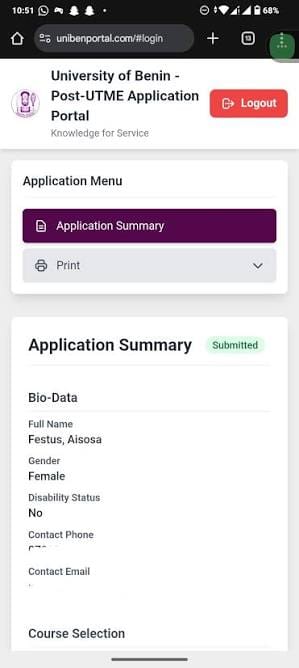
How to Check the UNIBEN Admission List on the School Portal
Once the admission list is released:
Step 1
Visit the official UNIBEN admission portal.
Step 2
Click Admission Status or the appropriate admission checking link.
Step 3
Enter your JAMB Registration Number or other requested details.
Step 4
Click Check Admission Status.
Step 5
Your admission status will appear.
Possible messages include:
- Congratulations! You have been offered admission.
- Admission in Progress.
- Not Yet Admitted.
How to Check UNIBEN Admission Status on JAMB CAPS
Many candidates receive admission updates through JAMB CAPS before they appear on the school portal.
Follow these steps:
Step 1
Visit the JAMB eFacility Portal.
Step 2
Log in using your registered email address and password.
Step 3
Click Check Admission Status.
Step 4
Select the 2026 examination year.
Step 5
Click Access My CAPS.
Step 6
Open Admission Status.

If you’ve been admitted, you’ll see the option to Accept Admission or Reject Admission.
Related Guides
What Does “Admission in Progress” Mean?
If your admission status reads Admission in Progress, it means your application is still being reviewed and processed.
This does not mean you have been rejected.
Your status may change to Congratulations after JAMB completes the admission approval process.
If your status remains unchanged for an extended period, read:
Related Guide: JAMB Admission Not Showing on CAPS? Causes and Solutions
What to Do After Seeing “Congratulations”
If you’ve been offered admission:
- Accept your admission on JAMB CAPS.
- Print your JAMB Admission Letter.
- Print your Original JAMB Result Slip.
- Complete UNIBEN’s online clearance process.
- Pay the acceptance fee once officially announced.
- Follow all registration instructions issued by the University.
How to Accept Admission on JAMB CAPS
Once admission has been offered:
- Log in to JAMB CAPS.
- Click Admission Status.
- Select Access My CAPS.
- Click Accept Admission.
- Confirm your decision.
Related Guide: How to Accept or Reject Admission on JAMB CAPS
How to Print Your JAMB Admission Letter
After accepting admission:
- Log in to JAMB eFacility.
- Select Print Admission Letter.
- Complete the required payment.
- Download and print your admission letter.
Related Guide: JAMB Admission Letter: How to Print Yours Online
UNIBEN Acceptance Fee
At the time of writing, UNIBEN has not announced the acceptance fee for newly admitted undergraduate students for the 2026/2027 academic session.
Candidates should wait for the University’s official announcement before making any payments.
Avoid paying money to unofficial accounts or individuals claiming to facilitate admission.
Why Your Name May Not Appear Yet
Your admission status may not be available yet because:
- Admission processing is still ongoing.
- Additional admission batches are yet to be released.
- JAMB CAPS has not synchronized your admission.
- O’Level verification is pending.
- Departmental admission processing is still in progress.
Continue checking regularly.
Final Thoughts
The UNIBEN Admission List for the 2026/2027 academic session has not yet been released, but admission processing is underway following the completion of the University’s Post-UTME screening exercise.
Candidates should monitor both the official UNIBEN admission portal and JAMB CAPS regularly. Once the admission list is released, this guide will be updated with the latest information, including admission batches, acceptance fee details, and registration procedures.