
Thousands of candidates who applied for admission into the University of Ilorin (UNILORIN) are eagerly waiting for the release of the 2026/2027 admission list.
If you participated in the University’s Post-UTME or Direct Entry screening exercise, this guide explains the latest admission update, how to check your admission status once the list is released, what “Admission in Progress” means, and the next steps after receiving an admission offer.
Whether you’re expecting the merit admission list, supplementary list, or Direct Entry admission list, this article contains everything you need to know.
Is the UNILORIN Admission List 2026/2027 Out?
No.
As of today, the University of Ilorin (UNILORIN) has not officially released the 2026/2027 undergraduate admission list.
The university has, however, completed its 2026/2027 Post-UTME screening exercise. The screening for UTME and Direct Entry candidates was held from Thursday, August 13 to Saturday, August 15, 2026.
UNILORIN is now proceeding with the admission process. On August 23, the university’s Admissions Committee assured candidates that those who merit admission would be offered admission and stated that all new students expected to resume for the 2026/2027 session would have been offered admission before October 5, 2026.
Therefore, candidates should continue checking both the UNILORIN admission portal and JAMB CAPS for their individual admission status.
SchoolAdmissions.com.ng will update this article once UNILORIN officially confirms the release of the admission list.
When Will UNILORIN Release the Admission List?
UNILORIN has not announced an official release date.
Admission lists are usually published after:
- Post-UTME screening has been completed.
- O’Level verification has been finalized.
- Faculties complete admission recommendations.
- JAMB approves and processes admissions through CAPS.
Candidates should check both the UNILORIN portal and JAMB CAPS regularly for updates.
How to Check the UNILORIN Admission List on the School Portal
Once the admission list is released:
Step 1
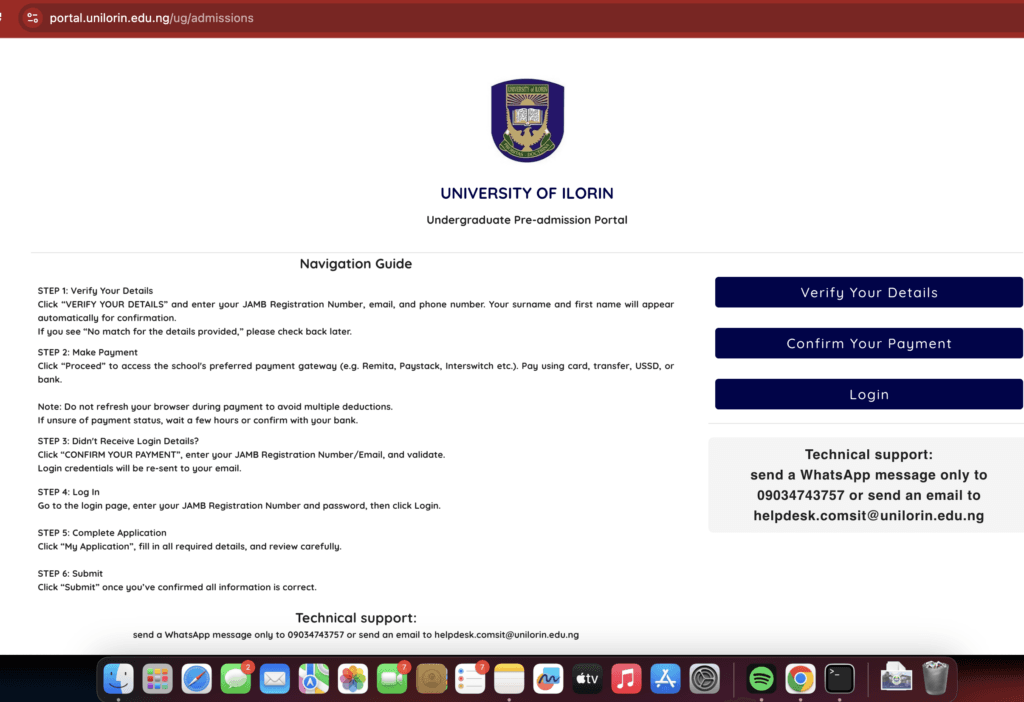
Visit the official UNILORIN admission portal.
Step 2
Locate the Admission Status page.
Step 3
Enter your JAMB Registration Number or the required login details.
Step 4
Click Check Admission Status.
Step 5
Your admission status will be displayed.
Possible outcomes include:
- Congratulations! You have been offered admission.
- Admission in Progress
- Not Yet Admitted
How to Check UNILORIN Admission Status on JAMB CAPS
Many candidates receive updates on JAMB CAPS before checking the school portal.
Follow these steps:
- Visit the JAMB eFacility Portal.
- Log in using your registered email and password.
- Click Check Admission Status.
- Select the 2026 examination year.
- Click Access My CAPS.
- Open Admission Status.
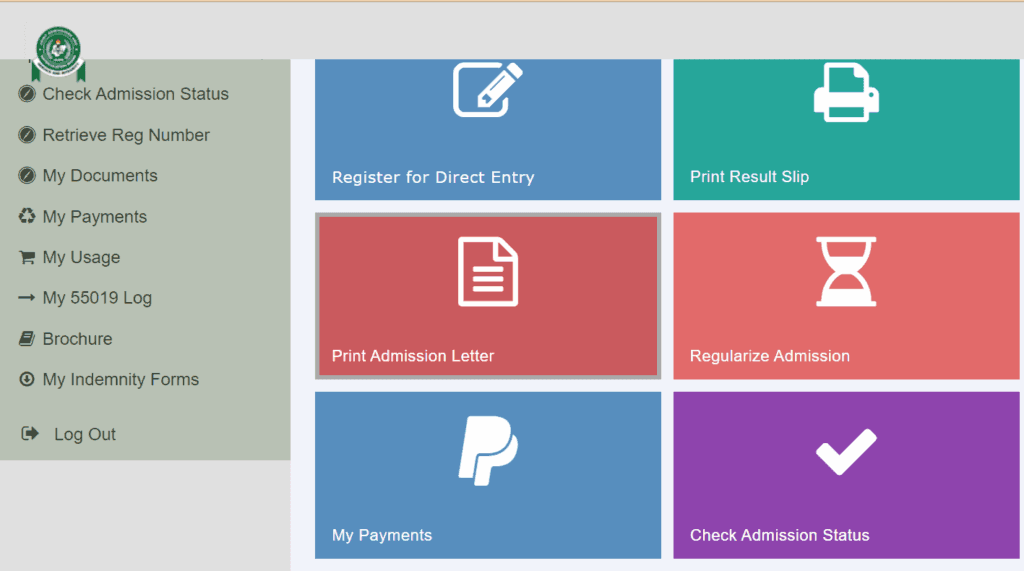
If admitted, you’ll see the options to Accept Admission or Reject Admission.
Related Guides
What Does “Admission in Progress” Mean?
If your JAMB CAPS shows Admission in Progress, it means your admission is still being processed.
This usually indicates that your application is under review and does not mean you have been rejected.
Continue checking both JAMB CAPS and the UNILORIN portal for updates.
Related Guide: JAMB Admission Not Showing on CAPS?
What to Do After Seeing “Congratulations”
If you receive an admission offer:
- Accept the admission on JAMB CAPS.
- Print your JAMB Admission Letter.
- Print your Original JAMB Result Slip.
- Complete the University’s registration and clearance process.
- Pay the acceptance fee once officially announced.
Always follow instructions published by UNILORIN.
How to Accept Admission on JAMB CAPS
- Log in to JAMB CAPS.
- Click Admission Status.
- Select Access My CAPS.
- Click Accept Admission.
- Confirm your choice.
Related Guide: How to Accept or Reject Admission on JAMB CAPS
How to Print Your JAMB Admission Letter
After accepting your admission:
- Log in to JAMB eFacility.
- Select Print Admission Letter.
- Complete any required payment.
- Download and print your admission letter.
Related Guide: JAMB Admission Letter: How to Print Yours Online
UNILORIN Acceptance Fee
At the time of writing, UNILORIN has not announced the acceptance fee for newly admitted undergraduate students for the 2026/2027 academic session.
Successful candidates should wait for the University’s official instructions before making any payments.
Do not send money to unofficial accounts or individuals claiming to secure admission.
Why Your Name May Not Appear Yet
Your admission status may not be available because:
- Admission processing is still ongoing.
- Additional admission batches are yet to be released.
- JAMB CAPS has not synchronized your admission.
- O’Level verification is pending.
- Your faculty is still processing admissions.
Continue checking regularly.
Final Thoughts
The UNILORIN Admission List for the 2026/2027 academic session has not yet been released, but admission processing is underway following the completion of the University’s screening exercise.
Candidates are advised to monitor both the official UNILORIN admission portal and JAMB CAPS regularly. Once the admission list is published, this guide will be updated with the latest information and step-by-step instructions for newly admitted students.