
If you applied for admission into the Federal University of Technology, Minna (FUTMINNA) for the 2026/2027 academic session, you’re probably waiting to know whether the admission list has been released.
In this guide, you’ll learn how to check the FUTMINNA Admission List 2026/2027, verify your admission status on both the FUTMINNA portal and JAMB CAPS, understand what “Admission in Progress” means, and discover the next steps after receiving an admission offer.
Is the FUTMINNA Admission List 2026/2027 Out?
Not yet.
As of the latest official update, FUTMINNA has not yet released the undergraduate admission list for the 2026/2027 academic session. The university is currently processing admissions following the Post-UTME screening exercise. Candidates should regularly check both the FUTMINNA admission portal and JAMB CAPS for updates.
FUTMINNA normally releases admission lists in batches, so if your name is not on the first list, continue checking regularly.
How to Check FUTMINNA Admission Status on the School Portal
After the admission list is released:
Step 1
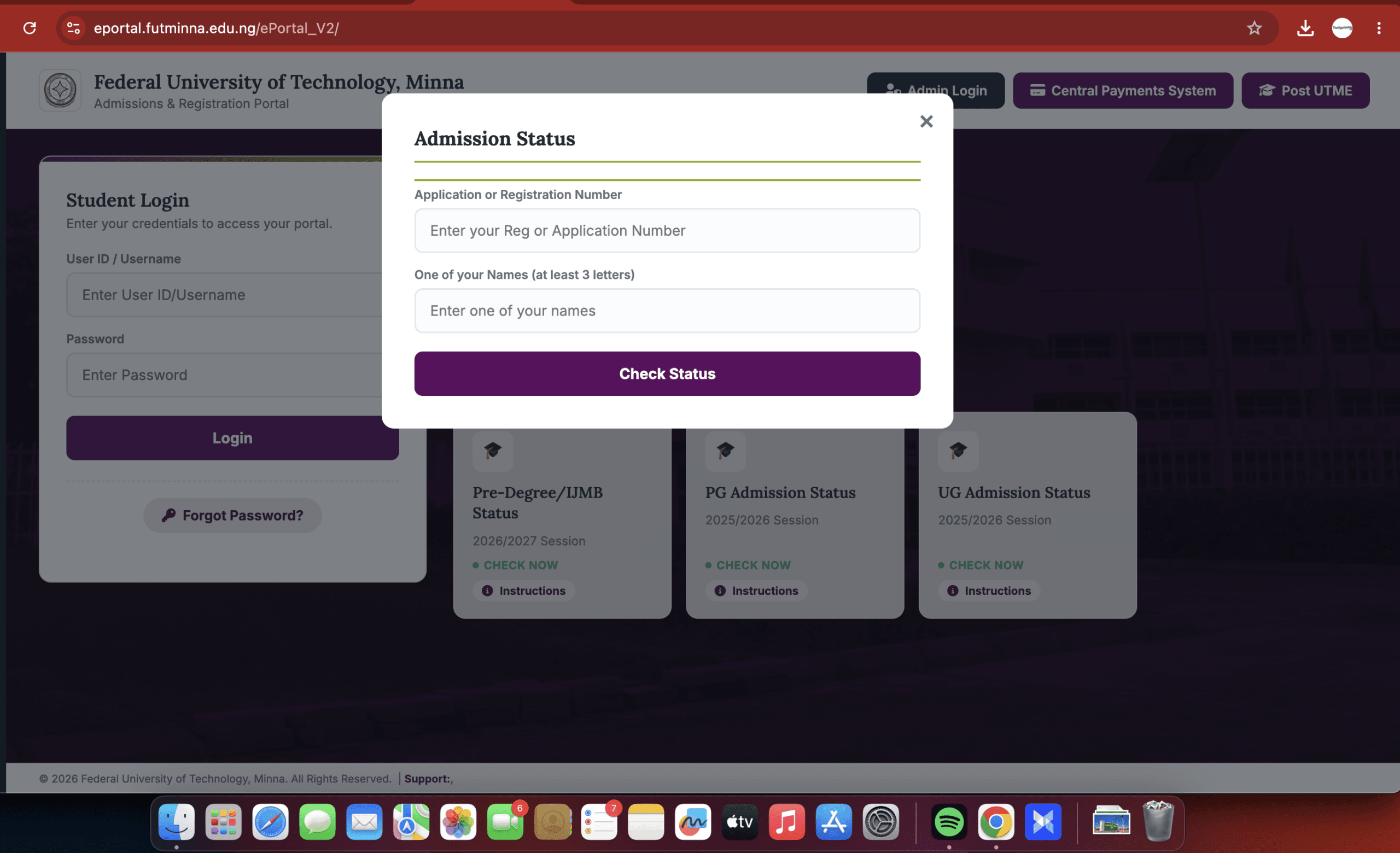
Visit the FUTMINNA Admission Portal.
Step 2
Log in using your application or JAMB Registration Number.
Step 3
Open your admission dashboard.
Step 4
Click Admission Status.
Step 5
Your admission status will appear.
How to Check FUTMINNA Admission Status on JAMB CAPS

Admission may appear on JAMB CAPS before it is reflected on the school portal.
Follow these steps:
- Visit the JAMB eFacility Portal.
- Log in with your registered email address and password.
- Click Check Admission Status.
- Select 2026 as your examination year.
- Click Access My CAPS.
- Open Admission Status.
- View your admission status.
If admitted, you’ll see Congratulations!
👉 Related Guide: How to Check JAMB Admission Status on CAPS
What Does “Admission in Progress” Mean?
If your status reads Admission in Progress, it means your application is still being processed.
This may happen because:
- FUTMINNA has not completed admission processing.
- JAMB CAPS has not synchronized your admission.
- Your admission is awaiting approval.
- Additional admission batches are still pending.
If your status remains unchanged, read:
👉 JAMB Admission Not Showing on CAPS? Causes and Solutions
What to Do After Seeing “Congratulations”
If you’ve been offered admission:
- Accept your admission on JAMB CAPS.
- Print your JAMB Admission Letter.
- Print your Original JAMB Result Slip.
- Pay the FUTMINNA acceptance fee.
- Complete online clearance.
- Register your courses.
- Pay your school fees.
Complete these steps before the university’s deadline.
How to Accept Admission on JAMB CAPS
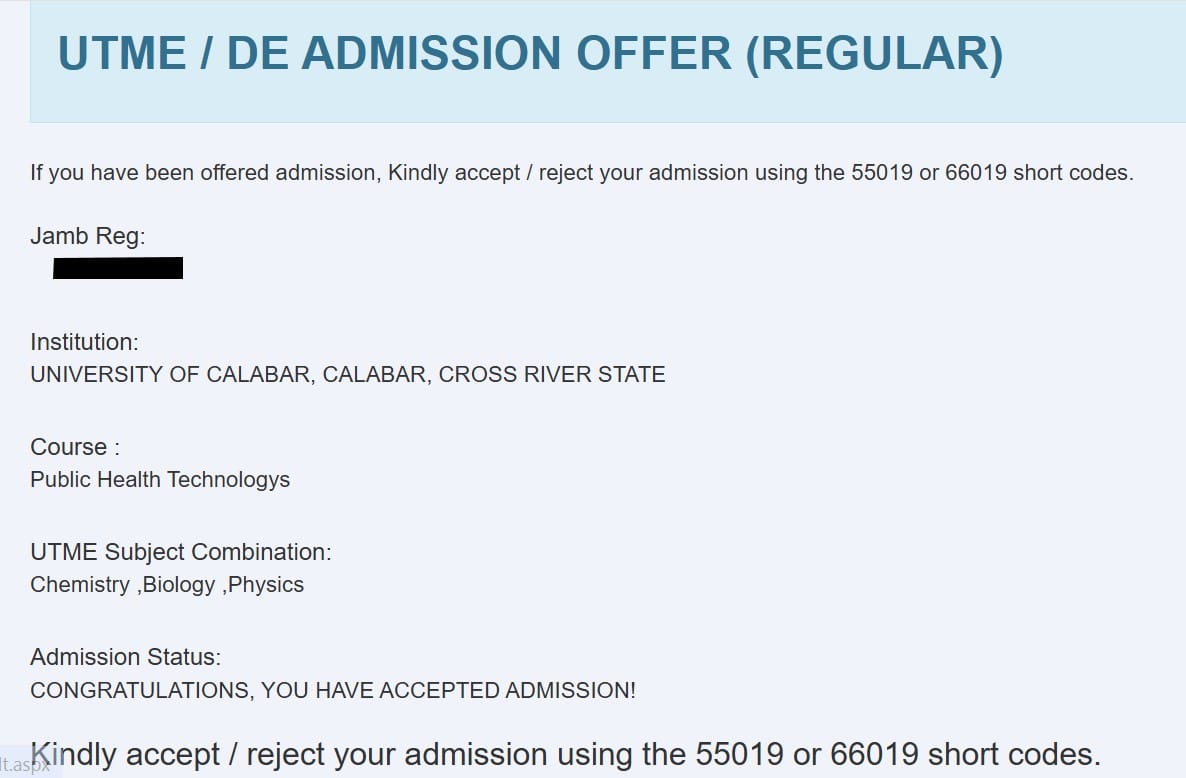
After confirming your admission:
- Log in to JAMB CAPS.
- Click Admission Status.
- Select Accept Admission.
- Confirm your decision.
Need a walkthrough?
👉 How to Accept or Reject Admission on JAMB CAPS
How to Print Your JAMB Admission Letter
Once you’ve accepted your admission:
- Log in to your JAMB profile.
- Click Print Admission Letter.
- Make the required payment.
- Download and print your admission letter.
Read our complete guide:
👉 JAMB Admission Letter: How to Print Yours Online
FUTMINNA Acceptance Fee
After the admission list is released, successful candidates will be required to pay the FUTMINNA acceptance fee within the deadline announced by the university.
Candidates should only follow payment instructions published on the official FUTMINNA portal and avoid making payments to unofficial accounts.
Final Thoughts
Although the FUTMINNA Admission List for the 2026/2027 academic session has not yet been released, candidates should continue checking both the university admission portal and JAMB CAPS regularly. Once admitted, complete all required registration procedures promptly to secure your admission.